Atlassian · Jira & Confluence · 2025–2026
Data Classification Space Settings
Stepping in on a visual refresh: fixing unstable org-defaults interaction in space settings, then owning cross-product behaviour so Jira could ship with confidence.
- Role
- Contributing designer, then primary owner for cross-product behaviour
- Timeline
- 2025–2026
- Company
- Atlassian
- Scope
- Interaction design, configuration documentation, cross-product handoff
Background
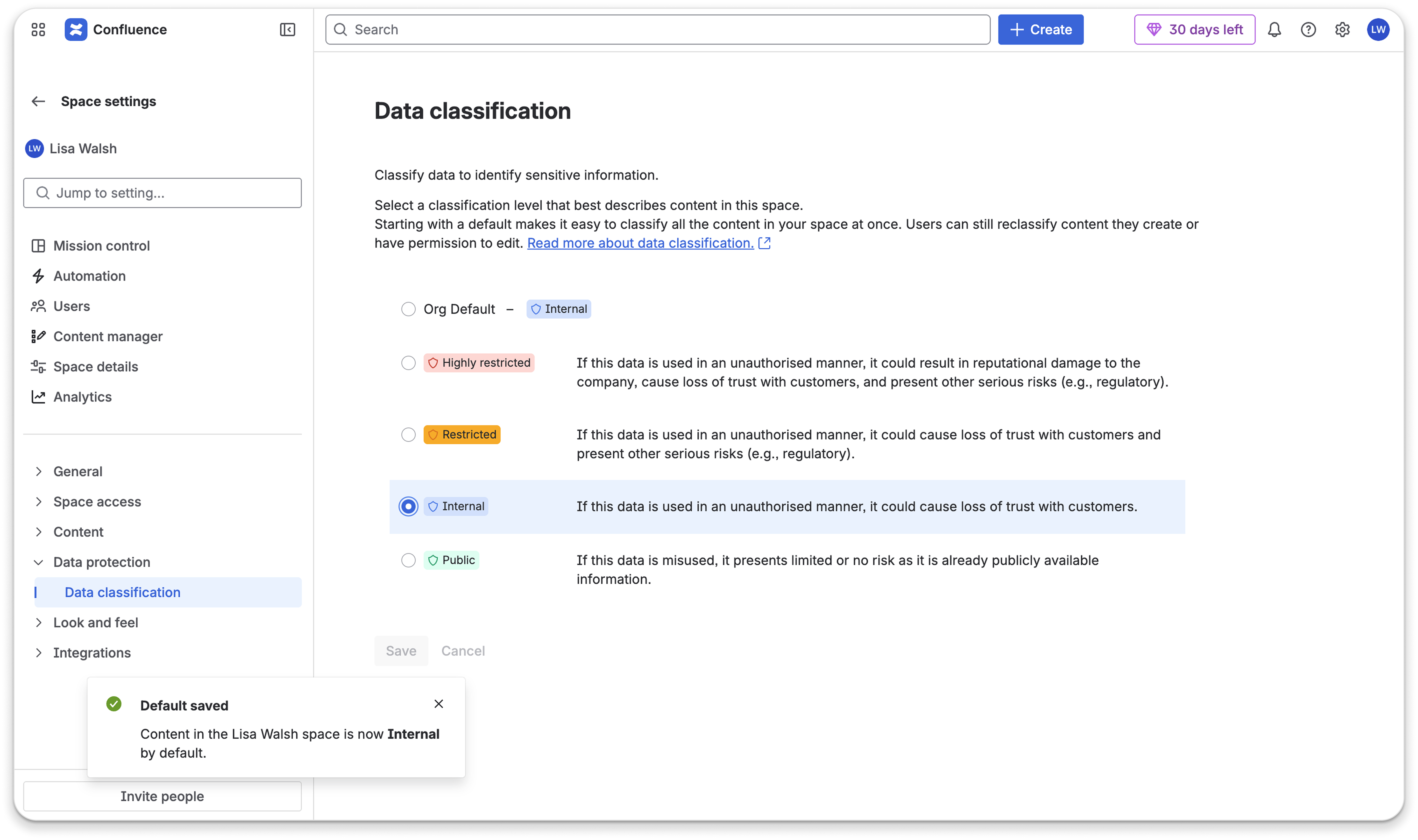
This project started as a visual refresh of the data classification settings experience within Jira and Confluence. I wasn't the primary designer on it - but when the owning designer went on annual leave, I was asked to step in and resolve some awkward interaction behaviour that had emerged from including a toggle for org defaults in the space-level settings, and splitting the UI into two separate screens.
The interaction problem
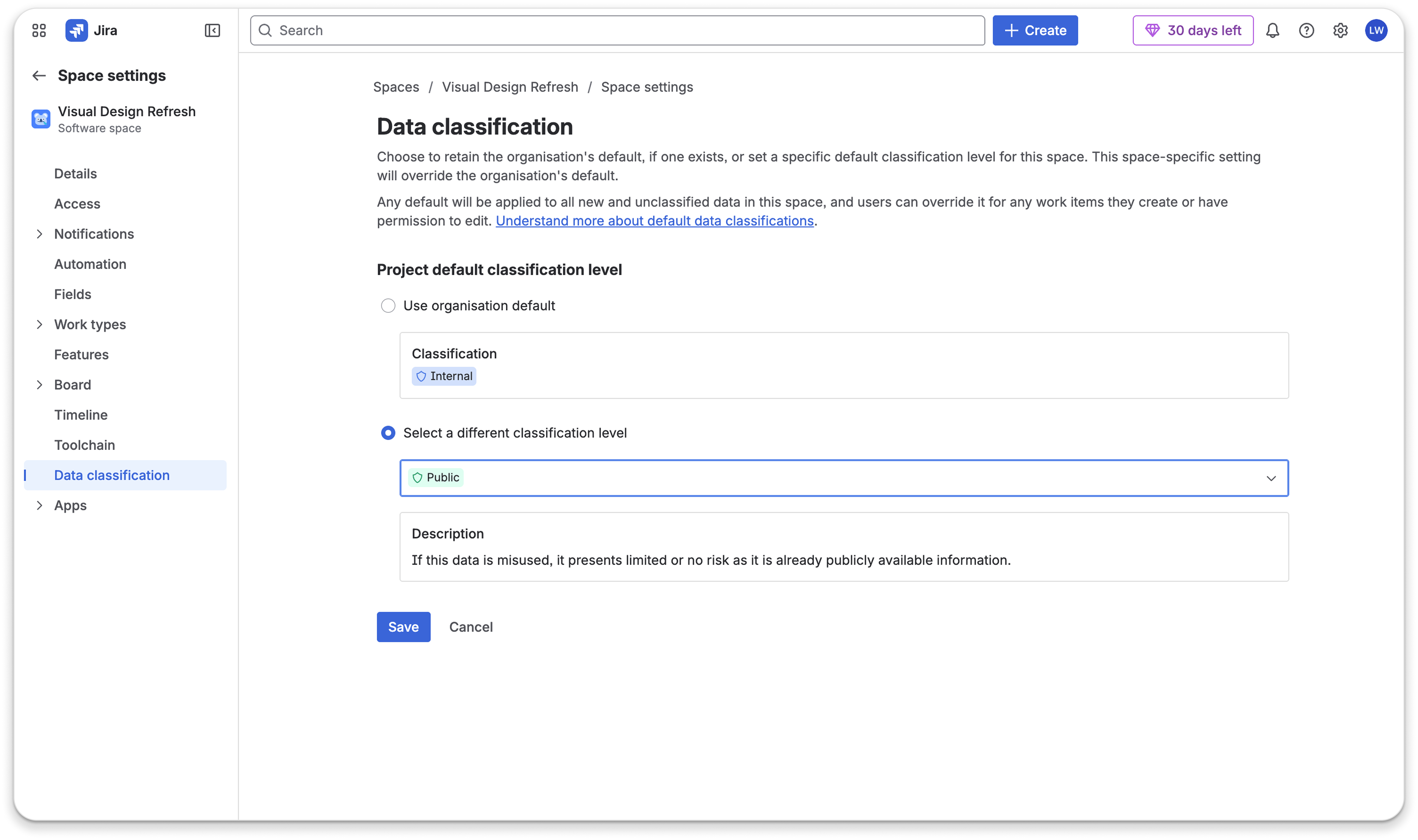
The toggle had been introduced to allow space admins to opt in to using the org default for their spaces. The behaviour felt unstable in the space settings context, where static forms with clear "save" CTAs were the norm. The toggle also acted as a navigation element, which further confused the interaction. Given that admins needed to feel confident about what they were configuring, the experience needed a rethink; a setting that controls classification defaults across an entire space carries real consequences, and any ambiguity in how it behaved would erode trust quickly.
I explored various alternatives, landing on a solution that was elegant and minimal scope, given that the engineering team were already in the build phase. The solution was adopted as the final design and is now the experience used by the Jira team for their data classification settings, with Confluence implementation to follow.
Cross-product behaviour
Building on my work establishing the effective classification controls model, I became the primary owner for mapping how changes made in admin hub settings flow through to space-level settings across both Jira and Confluence.
The question was straightforward to state but complex to fully resolve: when an org admin changes a classification default, what does that mean for every possible space-level configuration state? I documented all key scenarios and exceptions, giving the Jira team a reliable reference for how admins could expect the system to behave regardless of how their settings were configured.
Sample from the scenario documentation - one or two configurations with expected behaviour and edge cases (Confluence-style screenshots similar to the controls case study work well). Add under public/case-studies/ when ready.
Outcomes
- The interaction solution was adopted into the final design and is now live in Jira's data classification settings.
- The cross-product behaviour documentation unblocked the Jira team to implement the new settings logic with confidence.
- Confluence implementation is underway.