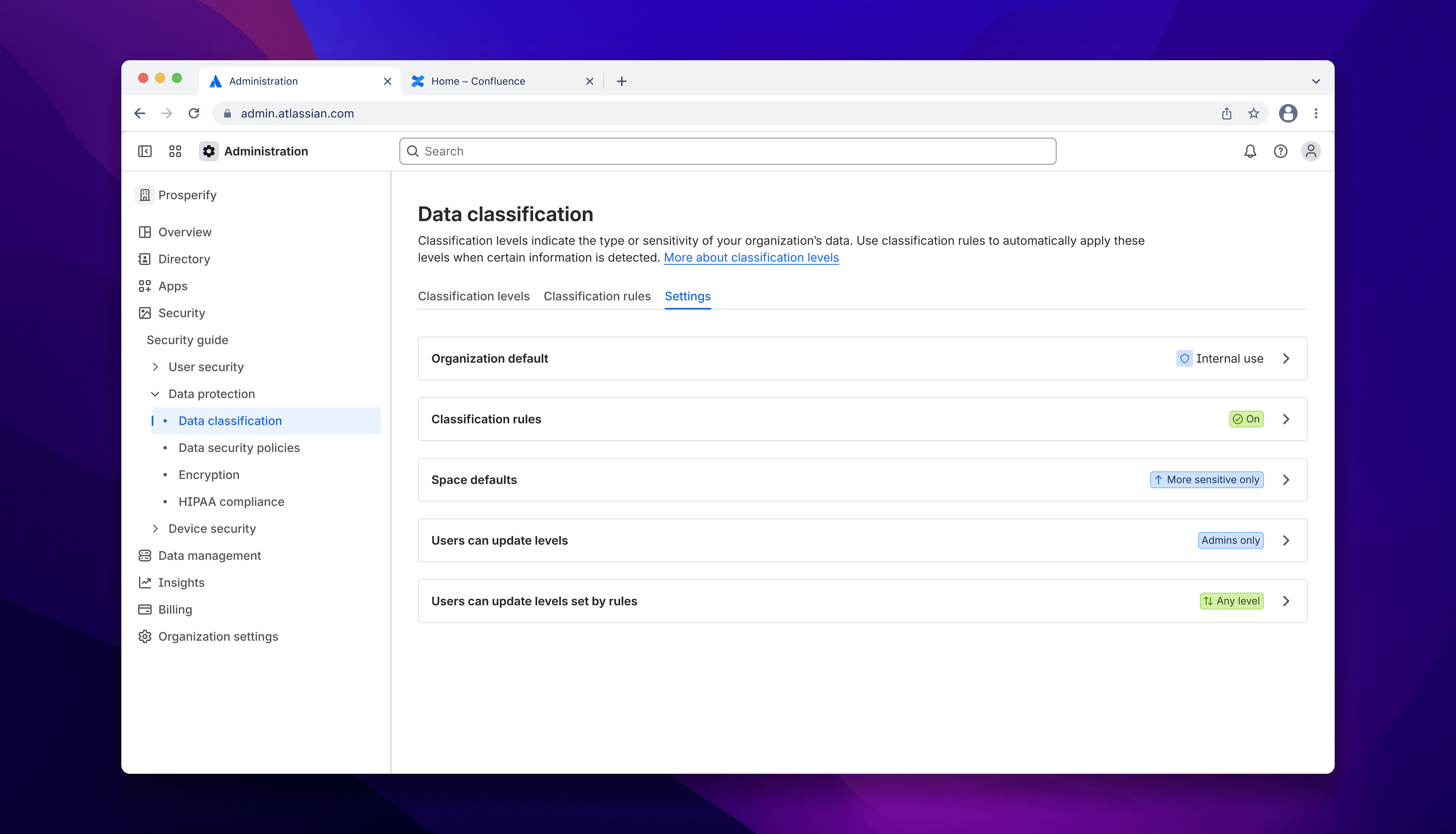
Atlassian · Guard Premium
Data Classification controls
From autoclassification onboarding into the unresolved conflict model - the two-tier logic that unblocked engineering and the settings work that followed.
- Role
- Product designer
- Timeline
- 2025-2026, Guard Premium
- Company
- Atlassian
Background
My original brief was to design the onboarding flow for autoclassification - a new Guard Premium capability that would detect sensitive content and apply a classification label automatically. I'd shipped a first version for engineering to build against and was moving into the next milestone when I hit the problem that had everyone stuck.
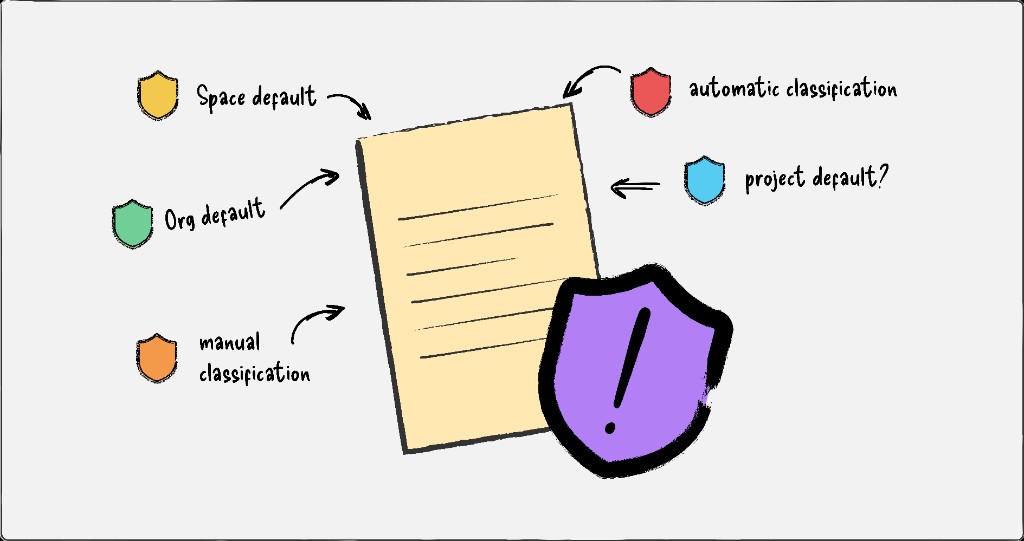
Guard Premium's classification system had no conflict resolution logic. Labels could be applied, changed, or removed by anyone, and defaults could be freely overridden. That was acceptable when classifications were just labels - but autoclassification made the gap critical. When the system autonomously applies "Confidential" because it detected financial data, and the space default says "Public", which wins? What if a user overrides it manually afterward? These were live, contested questions blocking implementation across every workstream, and nobody had landed on a model that resolved them.
The concept model
Working on potential settings controls, I realised the debate had been framed incorrectly. The four classification methods weren't competing with each other; they were two distinct types being treated as one.
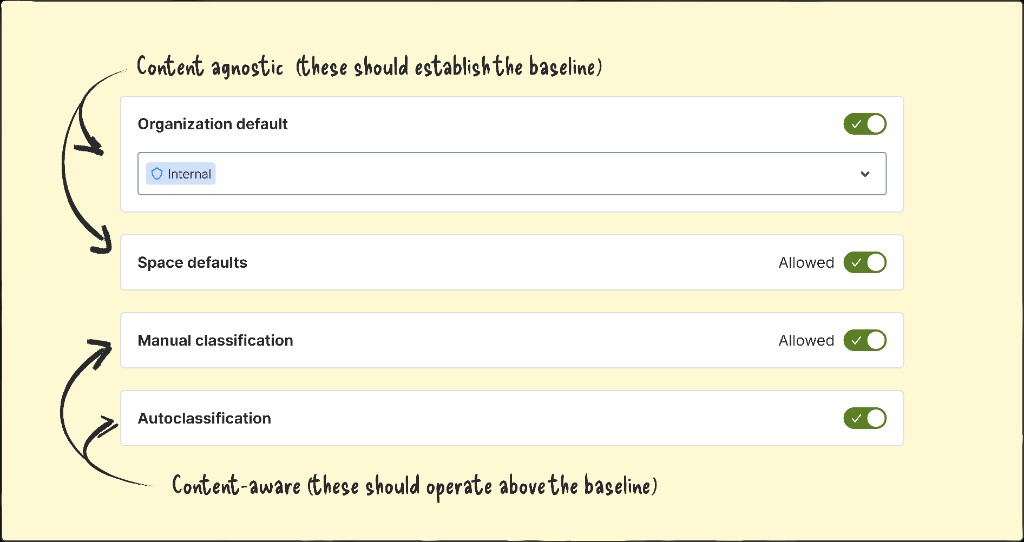
Container-level methods - org defaults and space defaults - applied to all unclassified data within them, agnostic to content. Content-level methods - autoclassification and manual labels - operated on specific documents based on what was in them. Once I separated the types, the solution followed: the container tier establishes the floor, the content tier operates within it, and admins configure priority within each tier independently. Composable, predictable, and flexible enough for the range of customer needs we'd heard about.
Getting it across
I filmed a rushed Loom and sent it to my design lead. He didn't understand it and didn't agree with it.
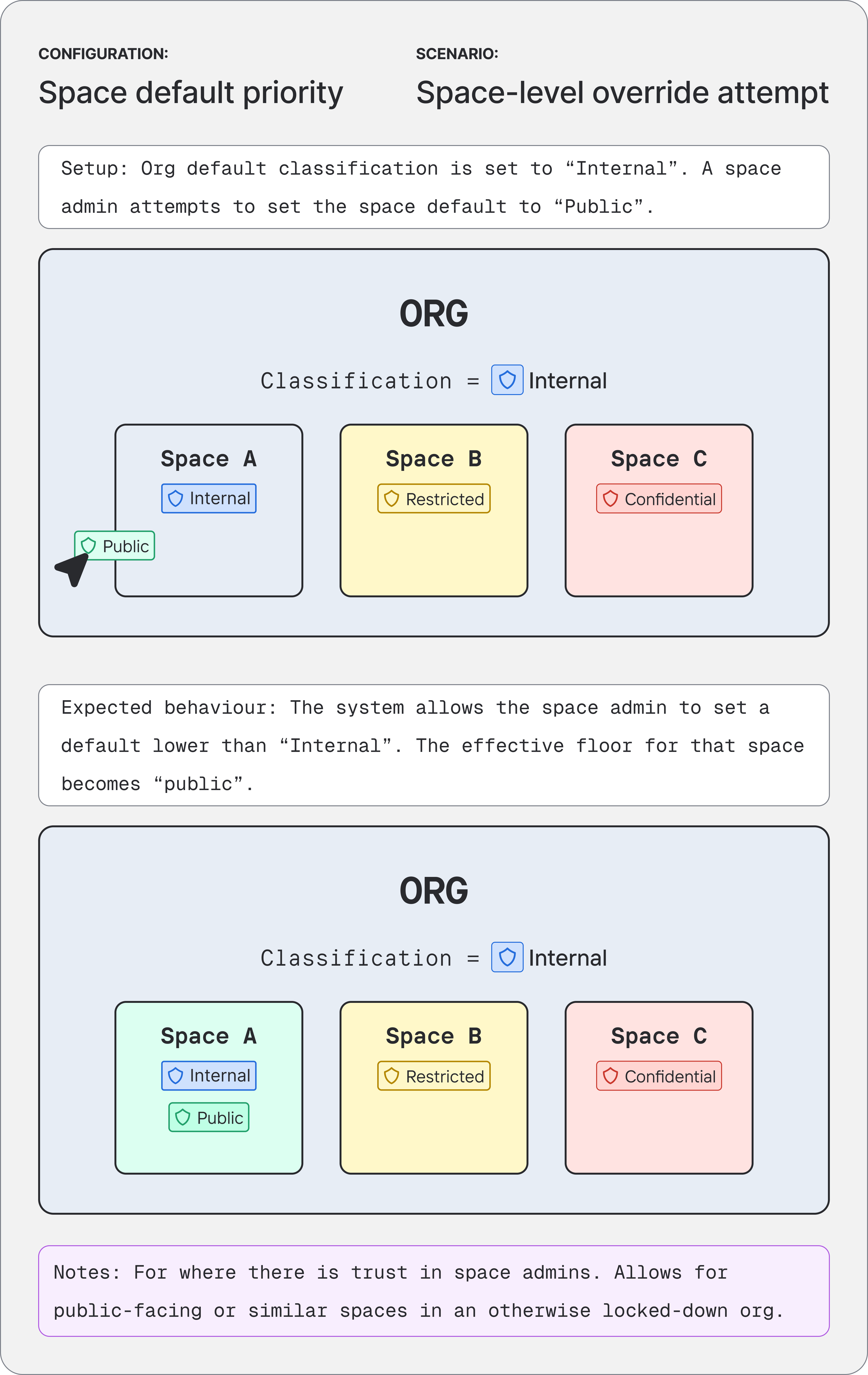
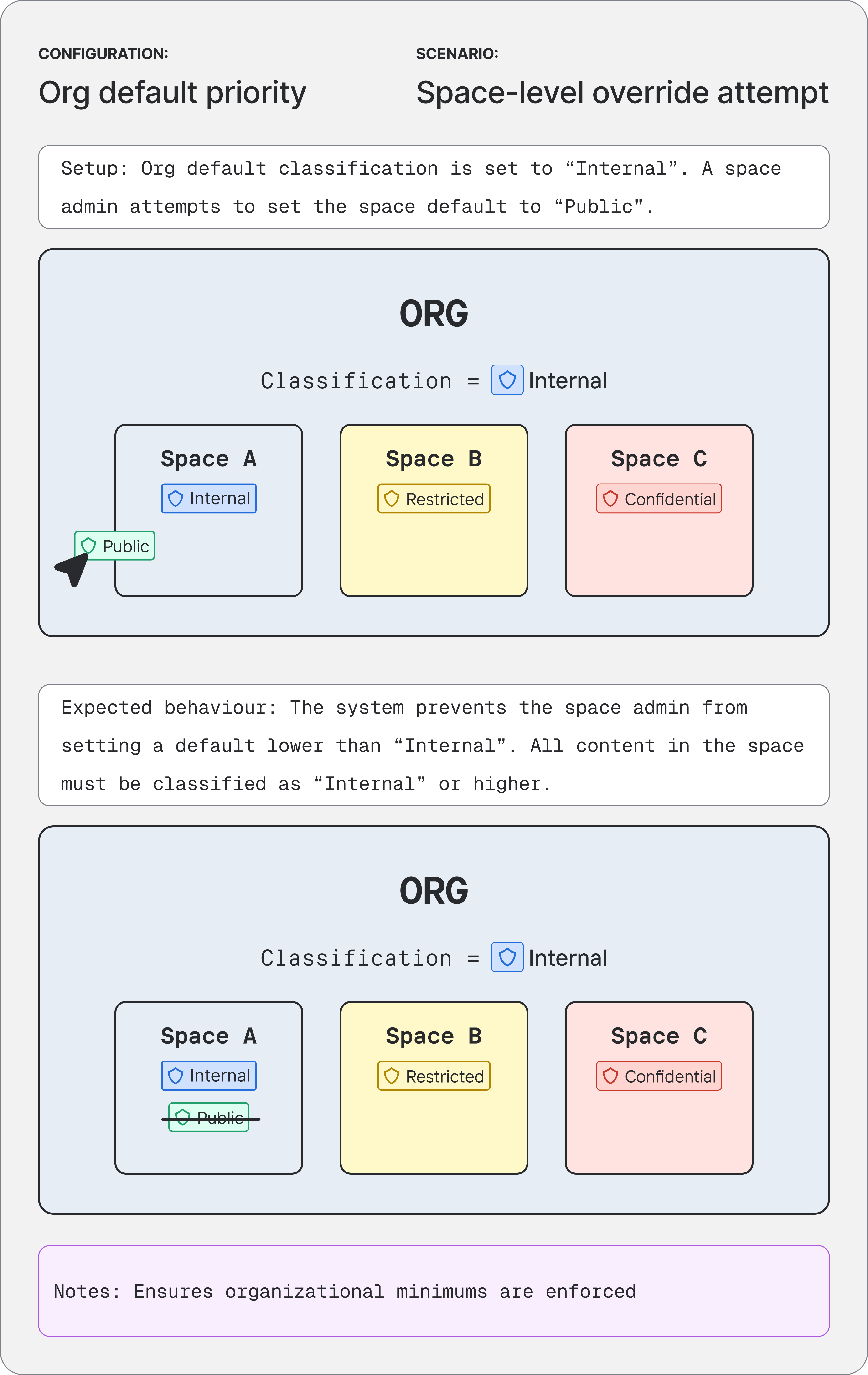
The next day I spoke to my mentor, who confirmed the thinking was sound but the problem was obvious: I'd tried to explain a structural model with nothing to look at. I rebuilt the communication as scenario-based diagrams - concrete configurations, expected behaviours, outcomes - and walked my design team through them that afternoon. By the end the lead and manager were cautiously optimistic, and suggested I take it to the wider cross-functional team the next day.
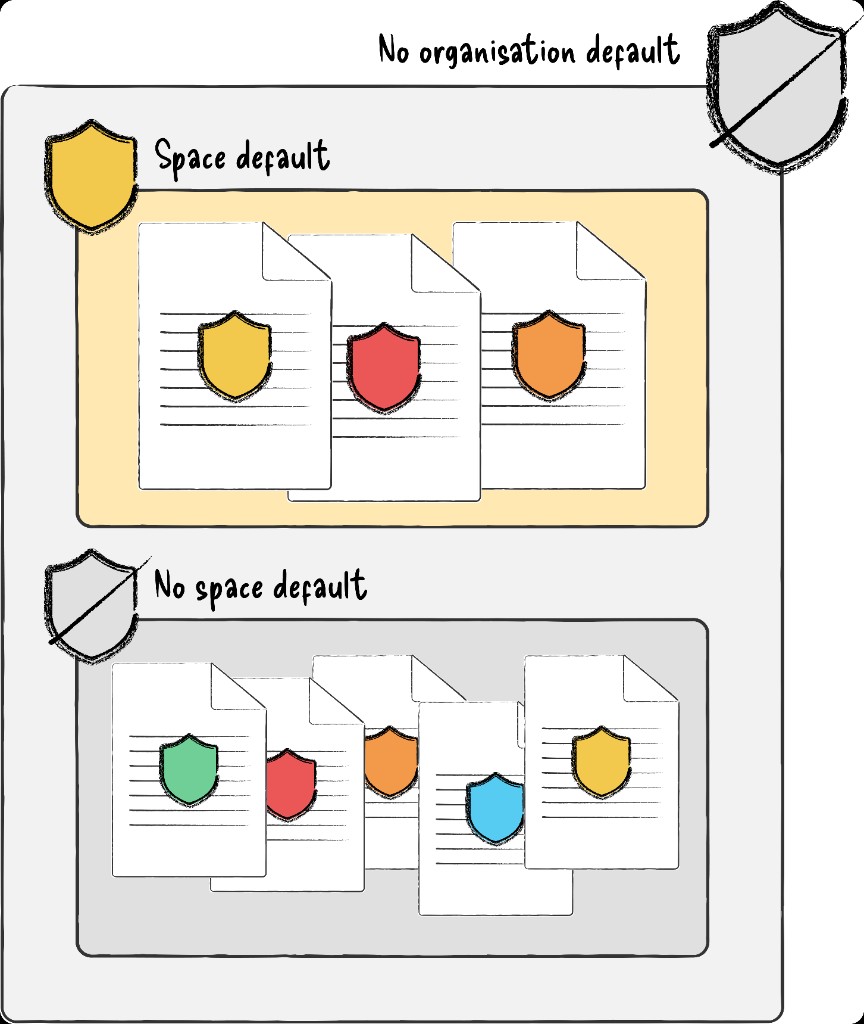
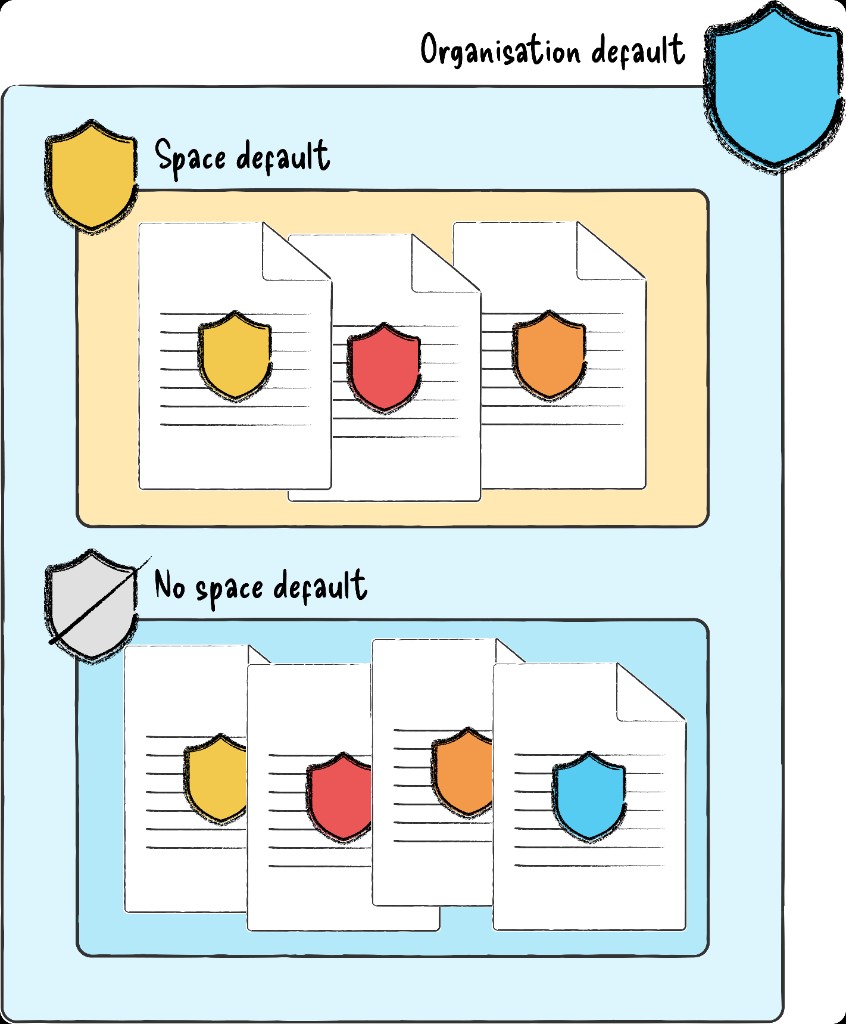
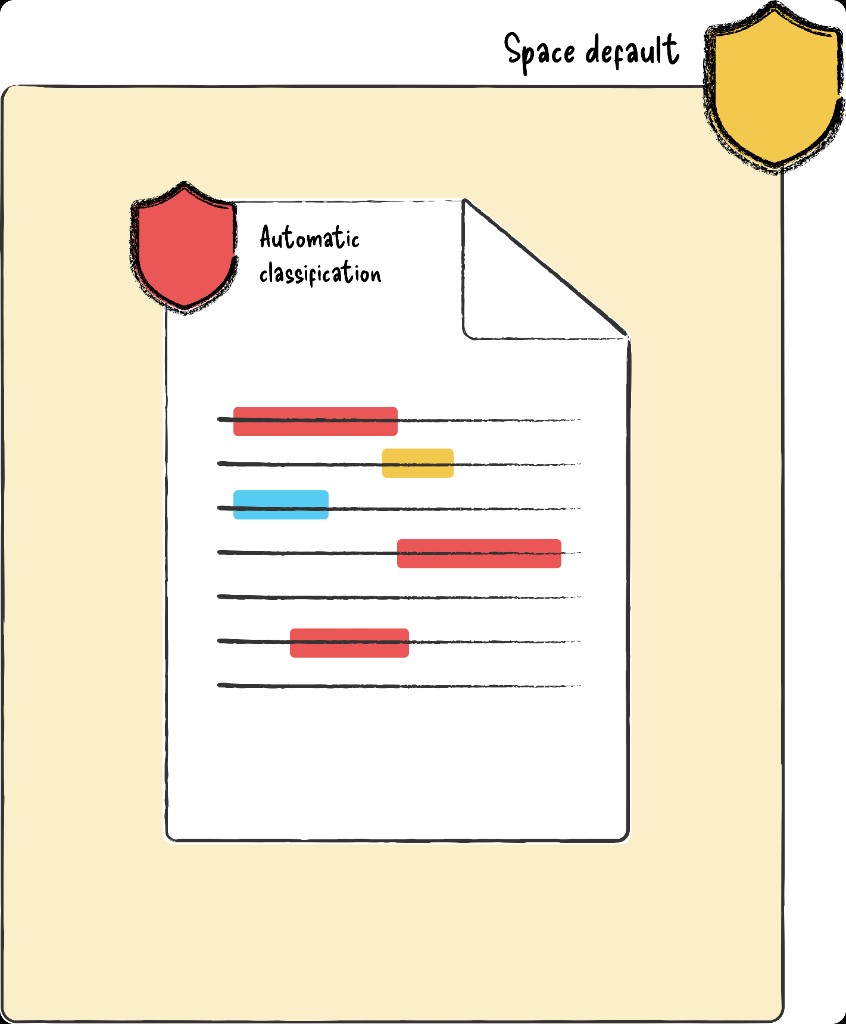
Diagrams based on the original working artefacts I used to pitch the concept model to my design team, and later the cross-functional team. The originals covered every priority pair, created and presented in a figjam.
Validation
The wider session included engineering leads and ICs, the PMs, and the design team. Working through concrete scenarios gave the group something to interrogate rather than debate in the abstract.
After the session, the lead PM asked me to write it up formally for engineering to assess. The Confluence doc covered the full model, all possible scenarios, and the open questions still needing decisions. Engineering confirmed it was technically sound. That was the green light.
I built this interactive calculator for the portfolio so you can explore org/space floors, autoclassification, manual labels, and priority presets yourself - the same logic we validated with engineering.
Designing the settings
Once the model was approved, I moved off autoclassifications entirely to focus on the settings UI - the team's call, given I understood the model better than anyone. Another IC picked up the autoclassification work; the feature being shipped remains largely true to my original designs.
The settings work had its own difficulties. Multi-variable dependencies made both static forms and progressive disclosure unworkable, and aligning the team on an approach took longer than it should have. After a two-week stall on an alternative direction, we converged on what I'd originally recommended: a dedicated settings screen with read-only classification signals embedded contextually across related workflows.
Three principles shaped the final design:
Surface the consequences. Configuration changes carry real risk across an entire org. Admins needed to understand the implications at every step; friction was a necessary part of the design, not a failure of it.
Make the hierarchy legible across surfaces. Org-level and space-level settings live in different parts of the product. Their relationship needed to be obvious even when an admin was only looking at one side of it.
Scope decisions to the right level. A space admin hitting a constraint set by org-level configuration should understand why - not just encounter a dead end.
Outcomes
- Resolved a cross-functional impasse and unblocked autoclassification for implementation.
- Established a shared mental model across design, product, and engineering; the Confluence doc became the canonical reference for the team.
- Built an extensible foundation where new classification methods can slot in without revisiting the core logic.
- Increased administrator trust by making classification behaviour predictable and explainable rather than opaque.
What I'd do differently
The Loom was a mistake; not because it was rough, but because I sent it before the idea had a form that other people could engage with. A structural model explained verbally, with nothing to look at, isn't really explained at all.
I'd also be more willing to push back on roadmap pressure when I can see a foundational gap underneath the work. The lack of a cohesive underlying model for Guard Premium's interrelated features was a known pain point across the team - it just kept getting deprioritised in favour of shipping what was already committed. In hindsight, the time lost to unresolved conflict questions far outweighed whatever we thought we'd save by deferring the concept work. Although I'd flagged these problems early and often throughout the design process, perhaps I needed to make a stronger case for why some problems can't be safely deferred.
And I'd back my recommendations more decisively. I knew which direction was right for the settings, but I wanted consensus before committing to it - and that cost two weeks and created friction that didn't need to exist.